Tips for Creating a Cozy and Functional Home Office Space
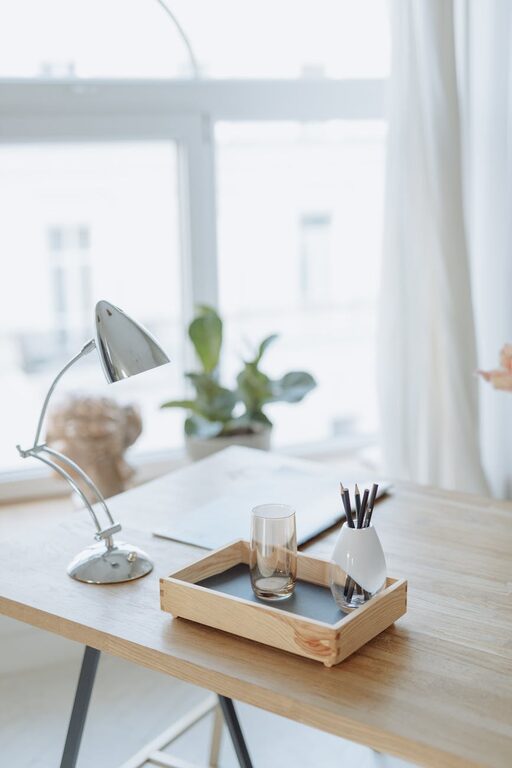
Creating a cozy and functional home office space is essential for anyone working or studying from home. A well-designed workspace not only enhances your productivity but also helps you feel comfortable and motivated throughout the day. Whether you have a dedicated room or just a small corner, you can transform it into a space that balances style, comfort, and practicality.
In this post, we’ll explore simple yet effective tips to help you build the perfect home office that suits your needs.
Choose the Right Location
The first step in setting up a home office is selecting the ideal spot. Your space should have:
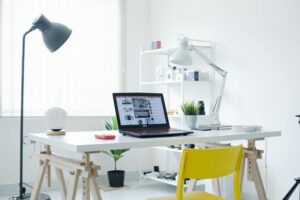
– Natural light: Position your desk near a window if possible. Natural light can improve mood and reduce eye strain.
– Quiet atmosphere: Try to choose a quiet area away from household distractions.
– Room to grow: Ensure there’s enough space for your equipment and storage needs.
If space is limited, consider flexible options like a foldable desk or a wall-mounted workspace.
Invest in Comfortable Furniture
Since you’ll spend many hours in your home office, investing in the right furniture is crucial for comfort and health.
Desk
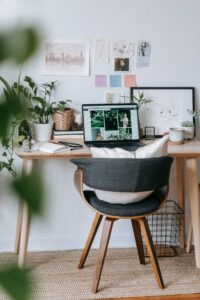
Pick a desk that fits your workflow. You might prefer a large surface for multiple monitors or a simple compact desk for a laptop setup.
Chair
An ergonomic chair is a must. Look for adjustable height, good lumbar support, and comfortable padding. Sitting properly helps prevent back and neck pain.
Accessories
Consider adding a footrest or a chair mat to improve posture and movement.
Organize with Purpose
A clutter-free space boosts focus and reduces stress. Here’s how to keep your office neat and purposeful:
– Storage solutions: Use shelves, filing cabinets, or desk organizers to store supplies and documents.
– Cable management: Use clips or cable sleeves to keep cords untangled.
– Daily clean-up: Spend a few minutes each day putting things back in their place.
A tidy environment helps your mind stay clear and productive.
Personalize Your Space
Adding personal touches makes your office inviting and unique.
– Plants: Indoor plants add freshness and can improve air quality.
– Artwork and photos: Display images that inspire or relax you.
– Colors: Choose calming or energizing colors depending on your preference.
While personalization is great, avoid over-decorating to maintain a professional feel.
Optimize Lighting
Good lighting reduces eye fatigue and enhances concentration.
– Task lighting: Use a desk lamp for focused work.
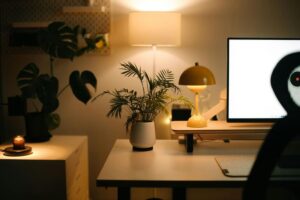
– Ambient lighting: Soft overall lighting prevents harsh contrasts.
– Screen positioning: Avoid glare on your computer screen by adjusting lights or blinds.
Adjust lighting throughout the day to suit changing conditions.
Prioritize Technology Setup
Ensure your tech gear supports your workflow smoothly.
– Reliable internet: A strong and stable connection is essential.
– Ergonomic peripherals: Use a comfortable keyboard, mouse, or headset.
– Monitor placement: Position your monitor at eye level for neck comfort.
Regularly update your software and organize desktop files for efficiency.
Incorporate Break and Relaxation Zones
Even small spaces benefit from having an area to take short breaks.
– Comfortable seating: A cozy chair or cushion can help you recharge.
– Quiet corner: A spot for stretching, meditation, or simple rest fosters well-being.
Taking breaks improves overall productivity and focus.
Maintain a Routine
A dedicated workspace supports a healthy work routine. Set clear working hours and stick to them. Use your office only for work-related tasks to separate home life from professional time.
—
By following these tips, you can create a home office that is both cozy and functional. A well-planned space supports productivity while making your workday more enjoyable. Remember, your ideal office should reflect your personality and meet your practical needs — ensuring a balanced and effective work environment right at home.